How to integrate WhatIsMyBrowser into a decision engine
Published on: 2024-08-10 18:48:28
WhatIsMyBrowser.com is a service that parses browser string information from User-Agent headers. The parsed output shows details about the browser, the platform, and other technical attributes.
Browser data is useful for detecting bot traffic and other malicious traffic. Real users tend to update their browsers and use standard releases. Bot traffic often sticks to a specific string or rotates through a fixed set of browsers. Over time, that rotation becomes outdated, which WhatIsMyBrowser indicates in its response data.
Sign up for a WhatIsMyBrowser account and get API key
 To get an API key, fill in the form to open an account with WhatIsMyBrowser.
https://developers.whatismybrowser.com/api/pricing/
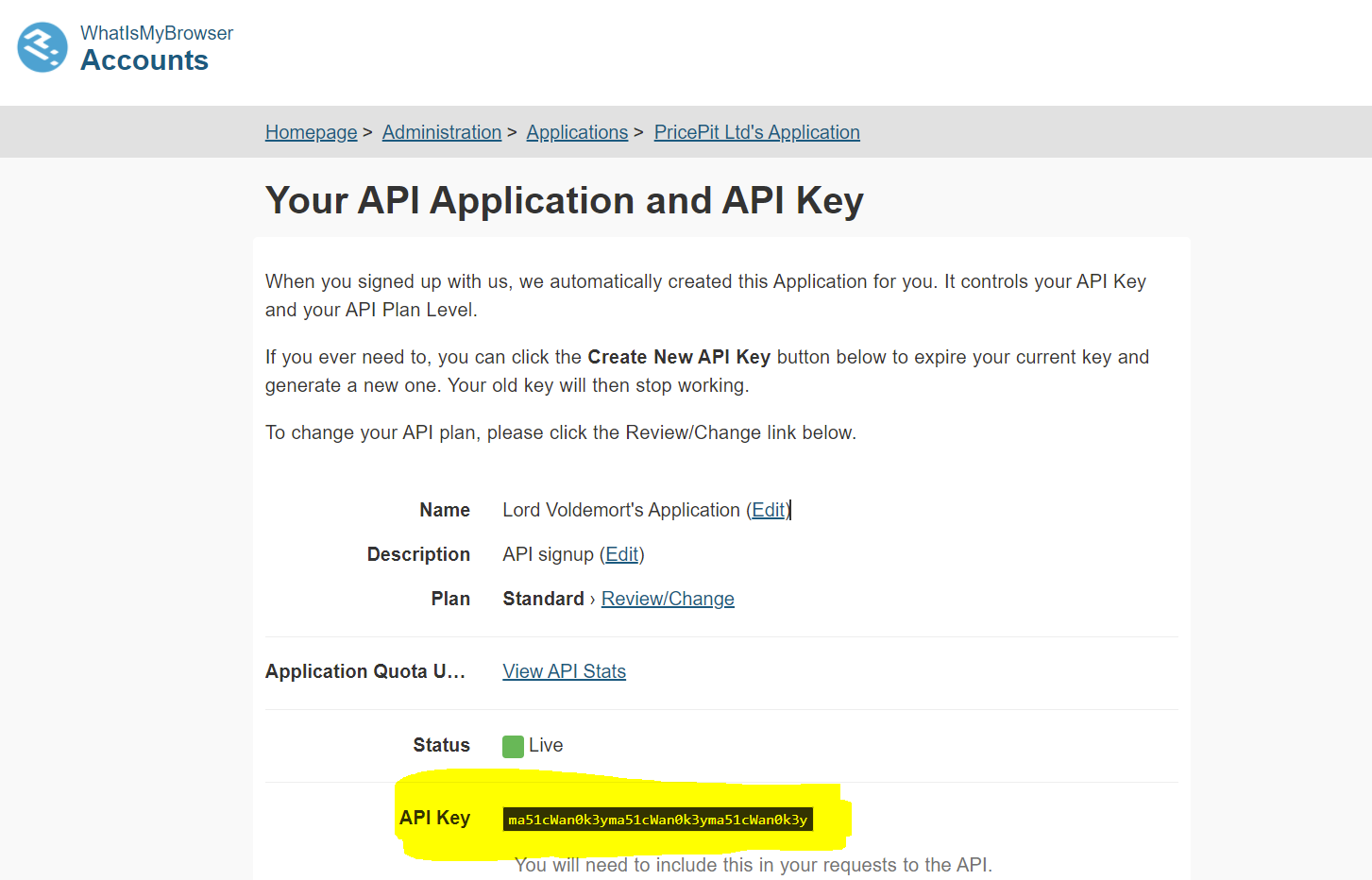
Their Free Tier allows 5,000 requests a month, which is enough to test the value in your use case.- Once your account is ready, go to WhatIsMyBrowser Account management and get your API key.
Create a data source in Decisimo Portal
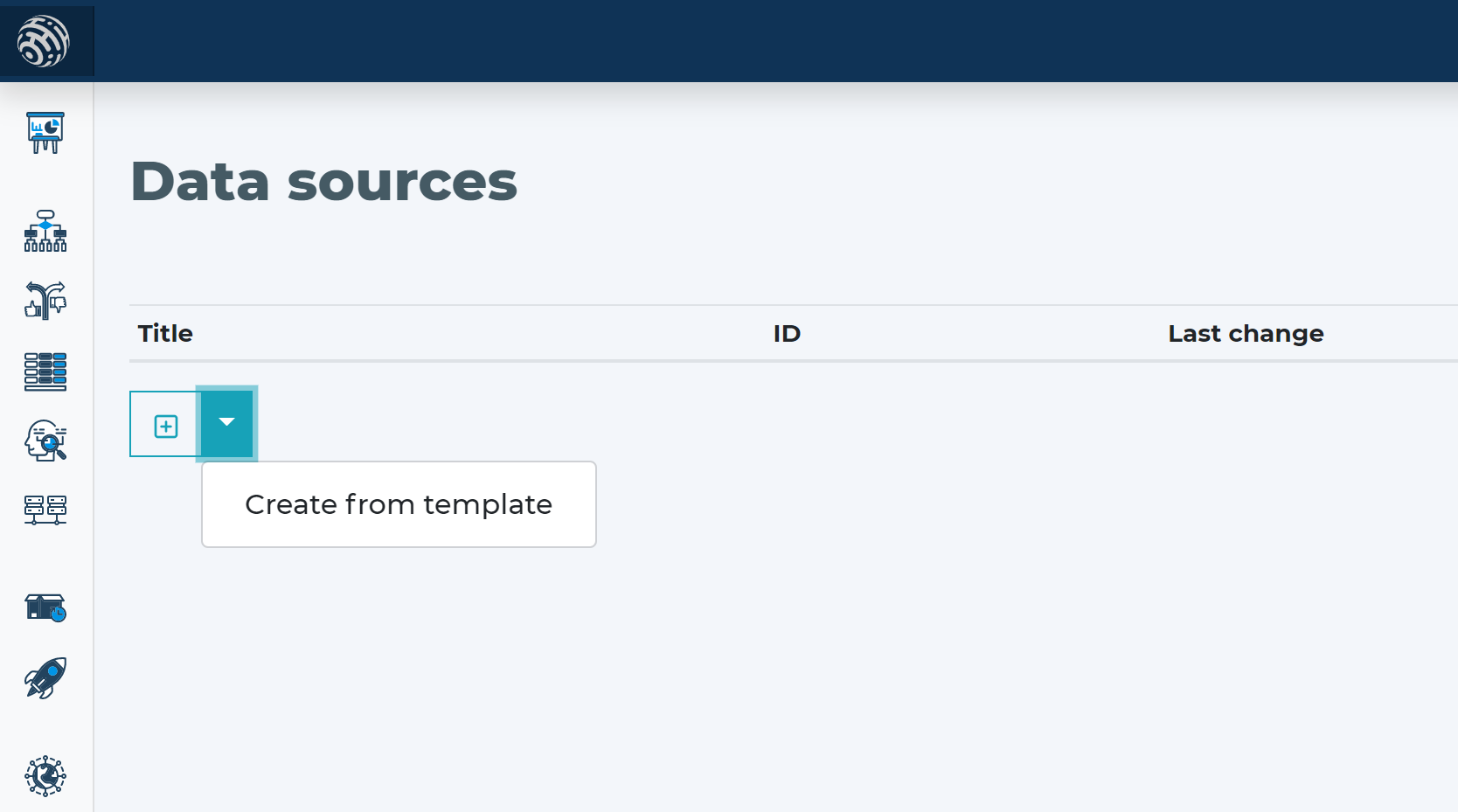
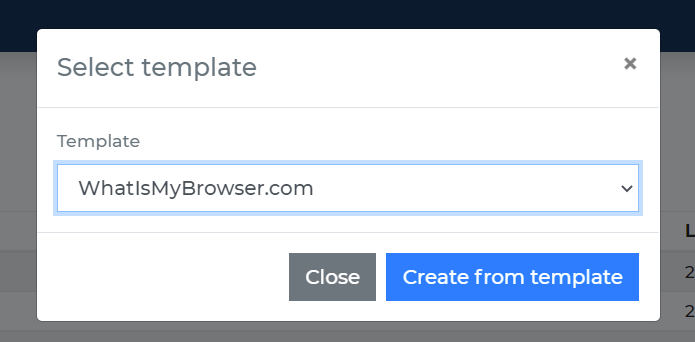
- Go to Data sources, click new, and create from template.
- Replace __YOUR_API_KEY__ in the Headers section with your WhatIsMyBrowser API key. This is the highlighted text in the screenshot below.
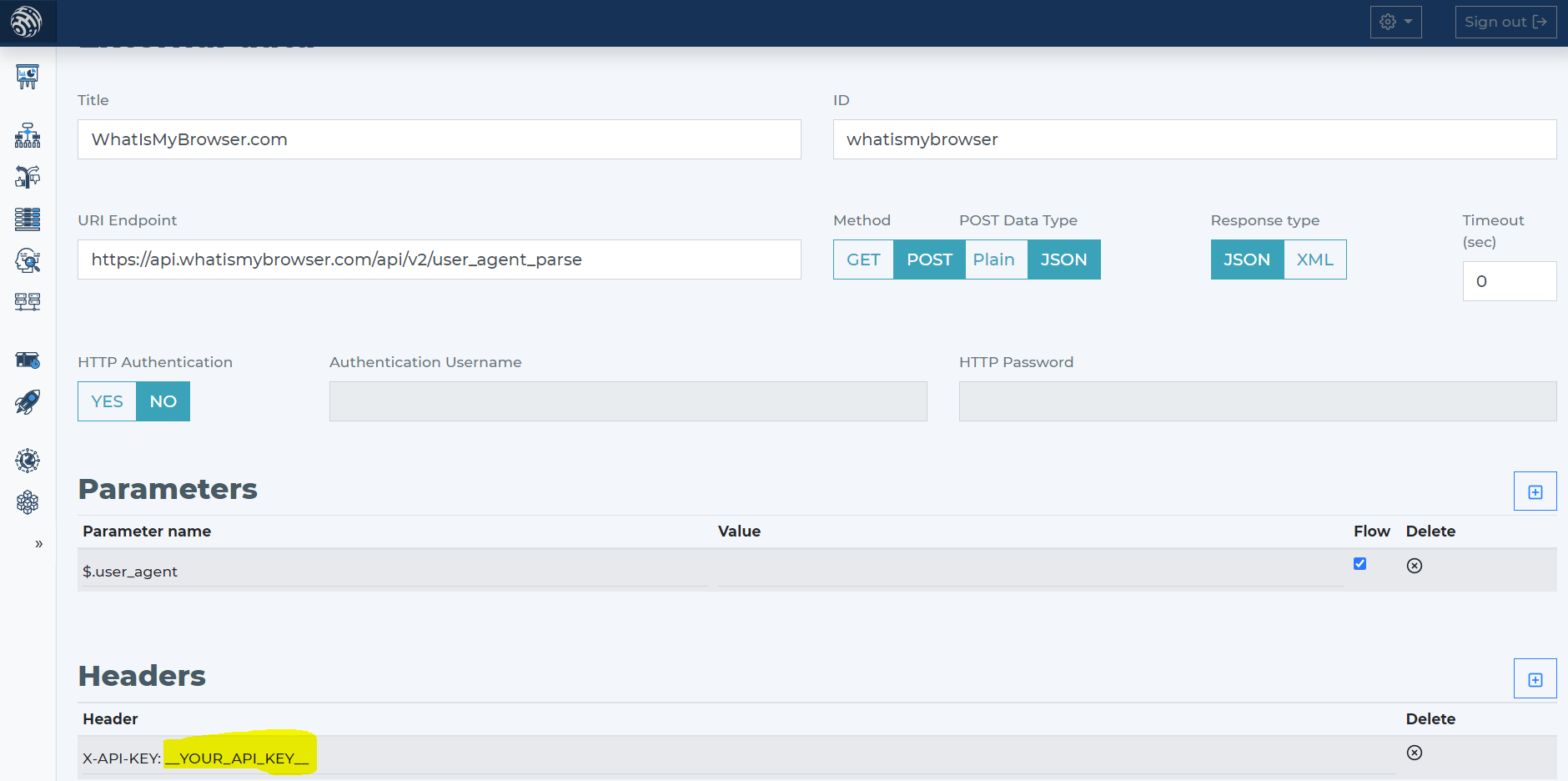
- The API requires only user_agent as an input parameter. When you use the WhatIsMyBrowser data source template, it already includes the required definition.
Add WhatIsMyBrowser data source to your decision flow
- If you already have a decision step for data sources, add the WhatIsMyBrowser call in that same step. The decision engine calls all sources in the same step in parallel. That gives you the fastest execution time.
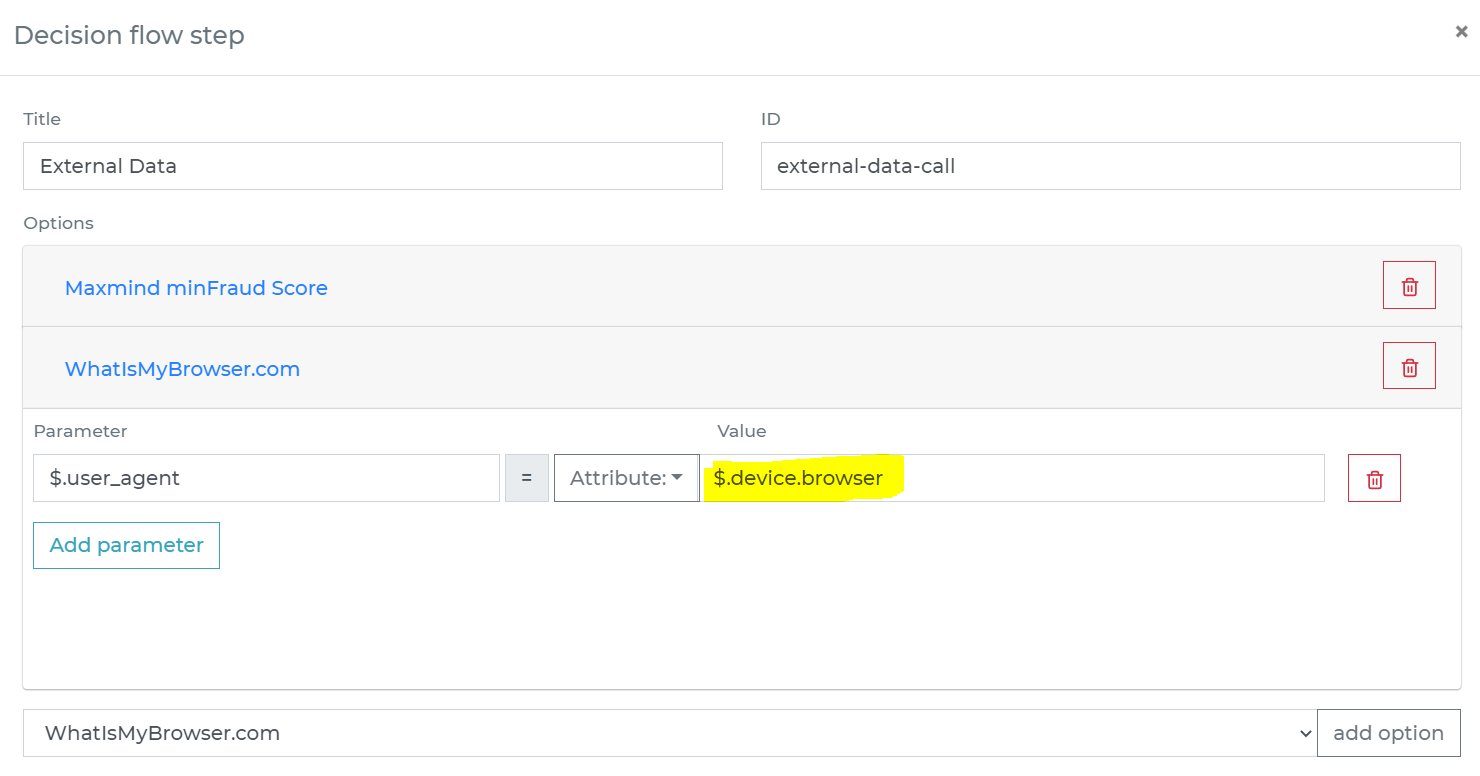
- If you do not have a decision flow step for external data, add one. Connect the step in your decision flow and open the definition window by double-clicking.
- In the decision flow step, define the attribute from your data object that contains the User-Agent string to send to WhatIsMyBrowser.
-
Run the decision making
- Release your decision flow, deploy it to an endpoint, and make decisions using data from WhatIsMyBrowser.