How to integrate SEON Antifraud Check into a decision engine
Published on: 2024-08-10 18:48:28
SEON is one of many antifraud data providers that offer a broad range of data enrichment. Its main difference, from a data perspective, is the online footprint enrichment it can provide. Using a phone number or email as the main identifier, it can find where that identifier is registered and which profiles are tied to it. This can help combat synthetic identity fraud.
Examples of profile checks include LinkedIn, Skype, Airbnb, GitHub, Discord, and Amazon. In antifraud and credit risk evaluation, this data can help establish whether an identity is real. The more services linked to the identifier, the higher the probability that the identifier is valid.
Get an account API key from SEON Antifraud Check
 Go to SEON and sign in to your account, or register.
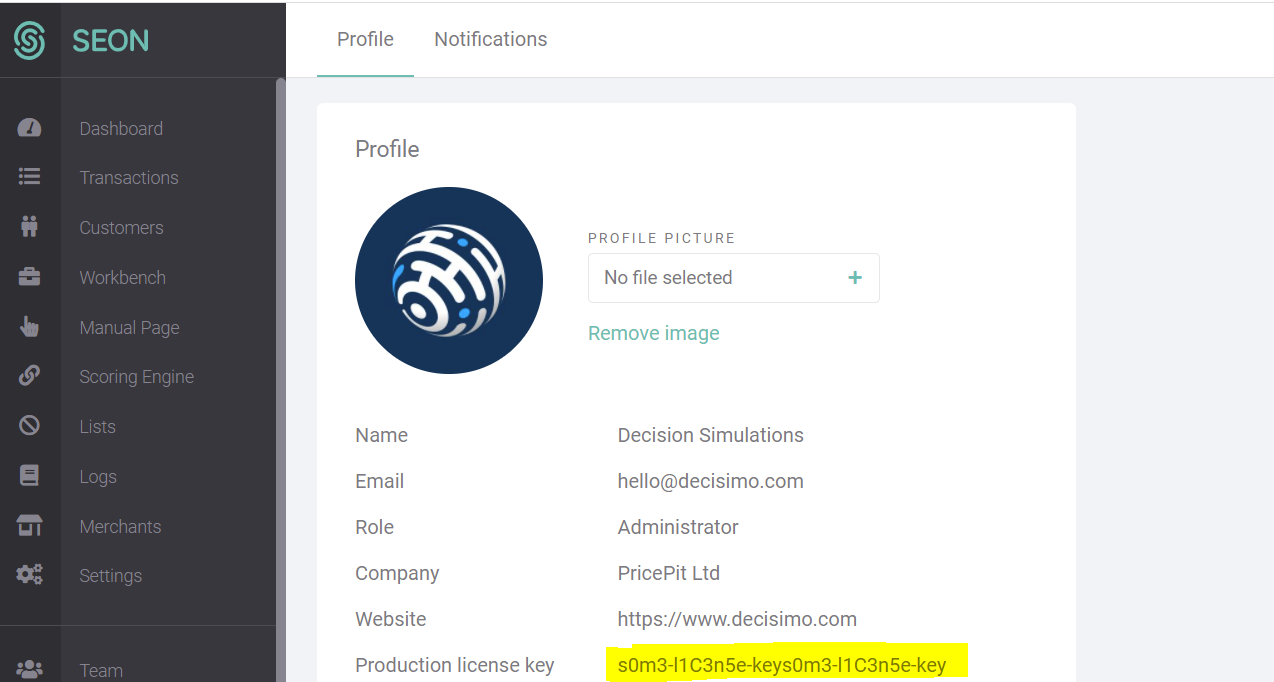
https://seon.io/try-for-free/- In the SEON Admin console, go to “My Account” and find the Production License Key. That is the API key you need to make requests in the decision engine.
Create a data source in Decisimo Portal
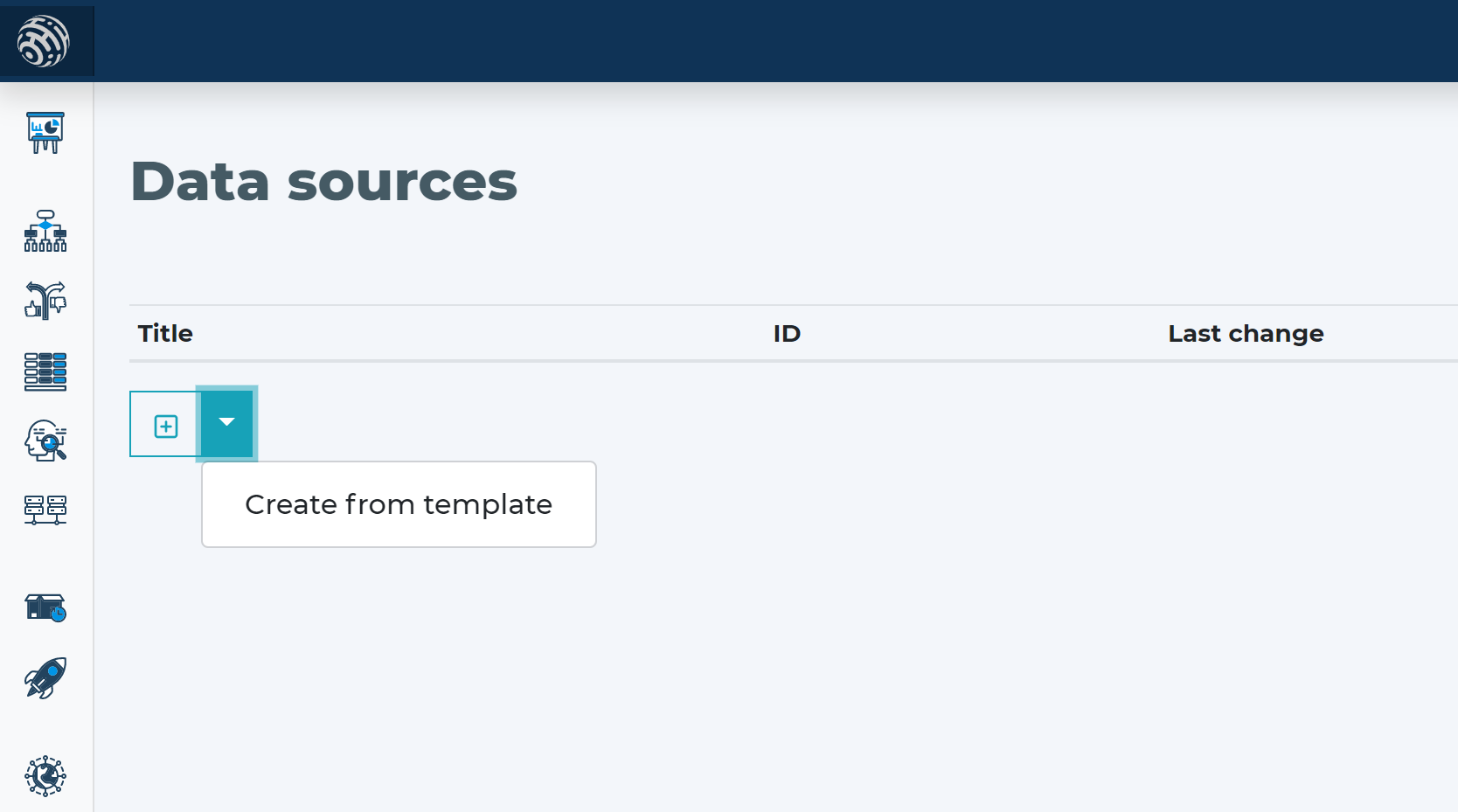
- Go to Data sources, click new, and create one from template.
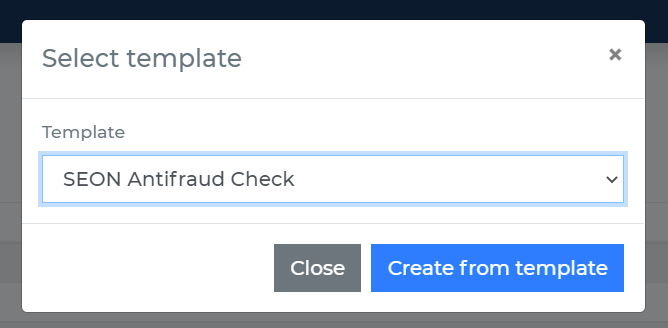
- In the data source definition, go to the Headers section and replace the placeholder __YOUR_API_KEY__ with the API key you obtained from the SEON admin console.
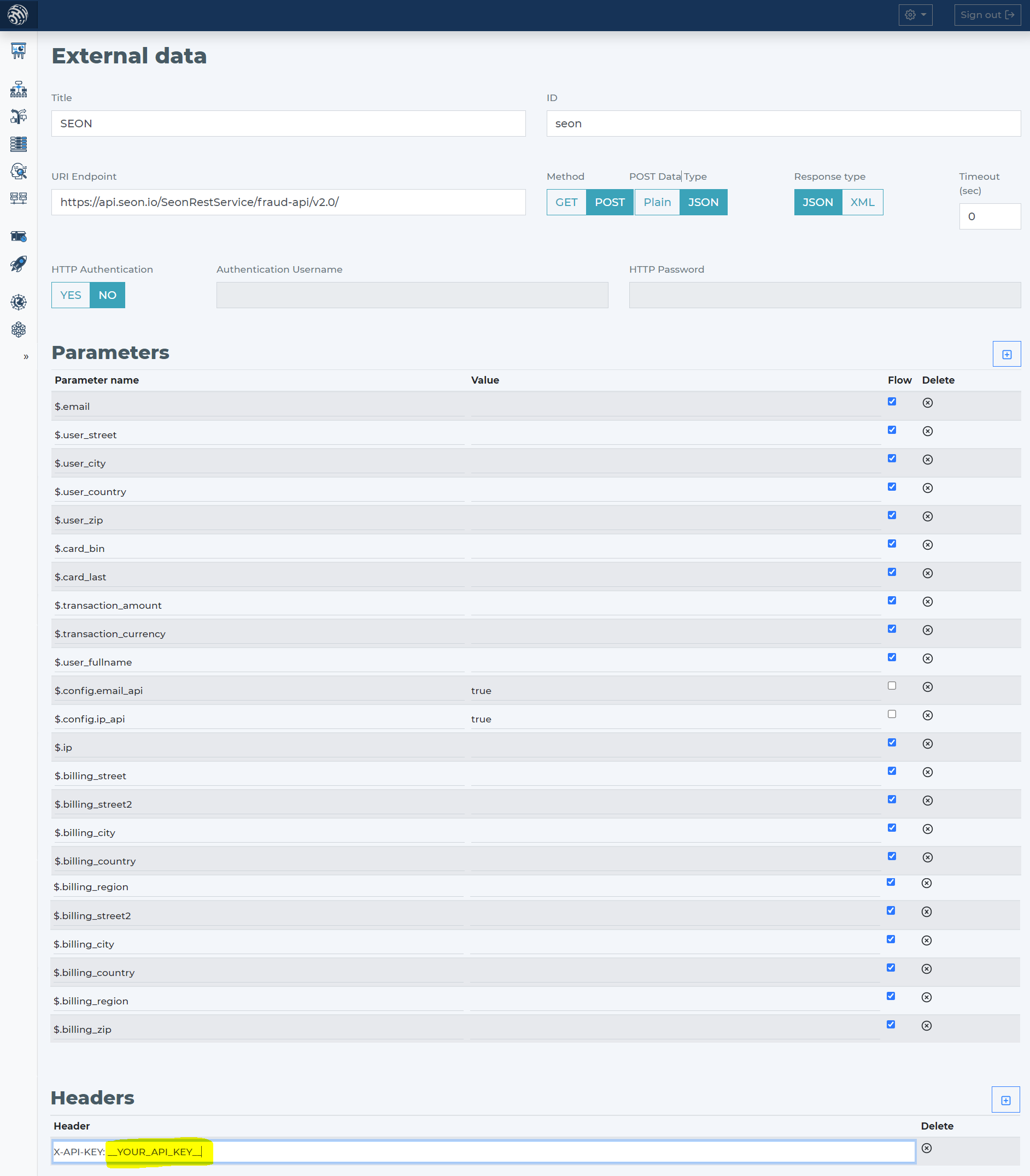
- SEON Antifraud Check requires multiple fields related to the eCommerce transaction being evaluated. The more information you send, the better the evaluation can be. If you use the SEON Antifraud Check data source template, it already includes the required definition.
Add SEON Antifraud Check data source to your decision flow
- If you already have a decision step for data sources, add the call to SEON Antifraud Check in that same step. The decision engine will call all sources in the same step in parallel. Parallel calls give the fastest execution time.
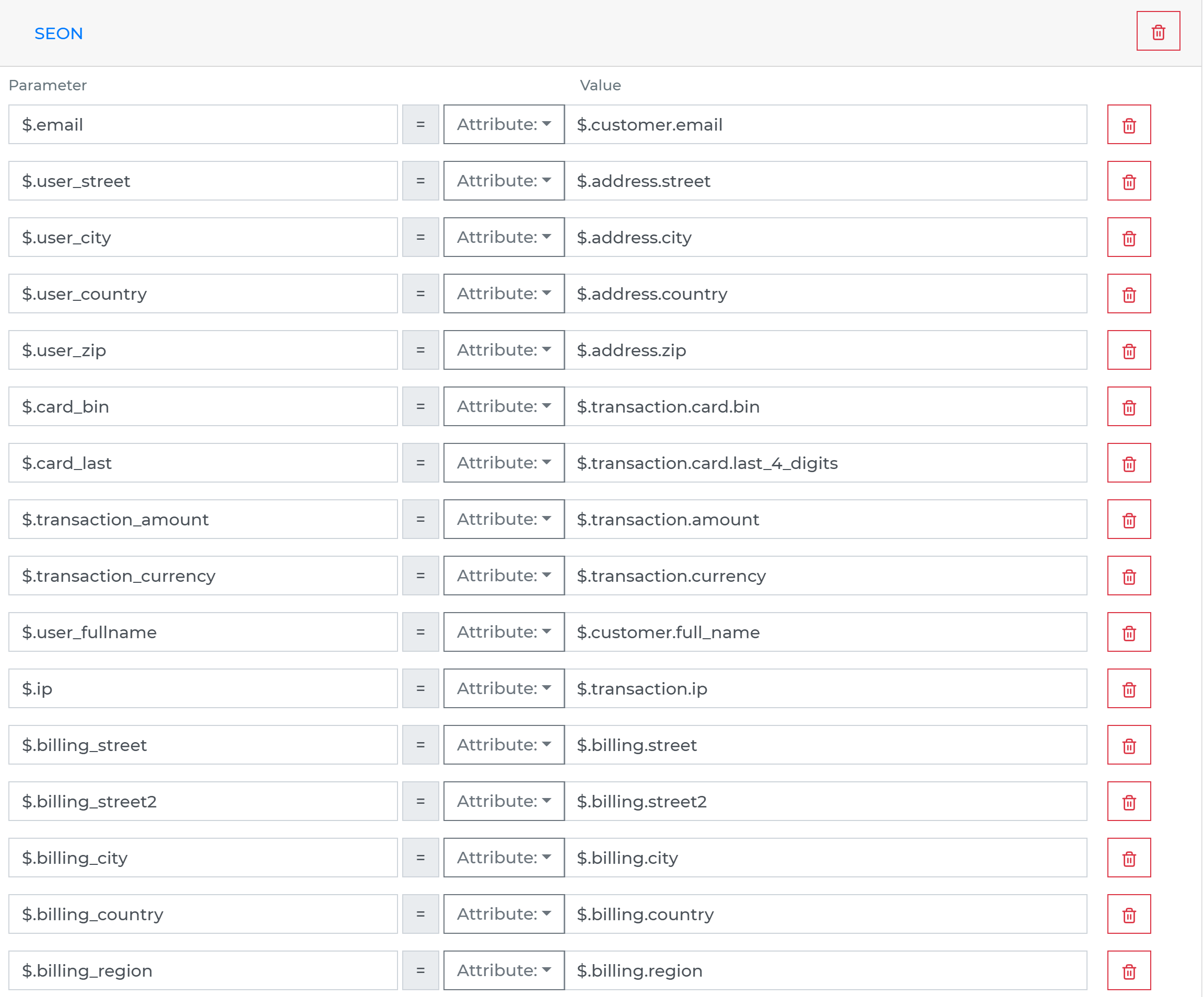
- If you do not have a decision flow step for external data, add one. Connect the step, then open the definition window by double-clicking it. In the step, define which attributes from your data object should be sent to the SEON Antifraud Check API.
-
Run the decision making
- Release your decision flow, deploy it to an endpoint, and make decisions using data from SEON Antifraud Check.