How to integrate BINLIST.net into a decision engine
Published on: 2024-08-10 18:48:28
BINLIST is a service that identifies card details from the first 6/8 digits of a card. It can tell you whether the card is credit or debit. It may also identify whether the card is personal, business, or corporate. For some BINs, it returns only the issuing country. For others, it can also identify the issuing bank, including bank details.
The service is free if you stay under 10 requests per minute. For a low request volume, the integration is straightforward. If you need more requests, contact binlist.net and get API keys.
Create a data source in Decisimo Portal
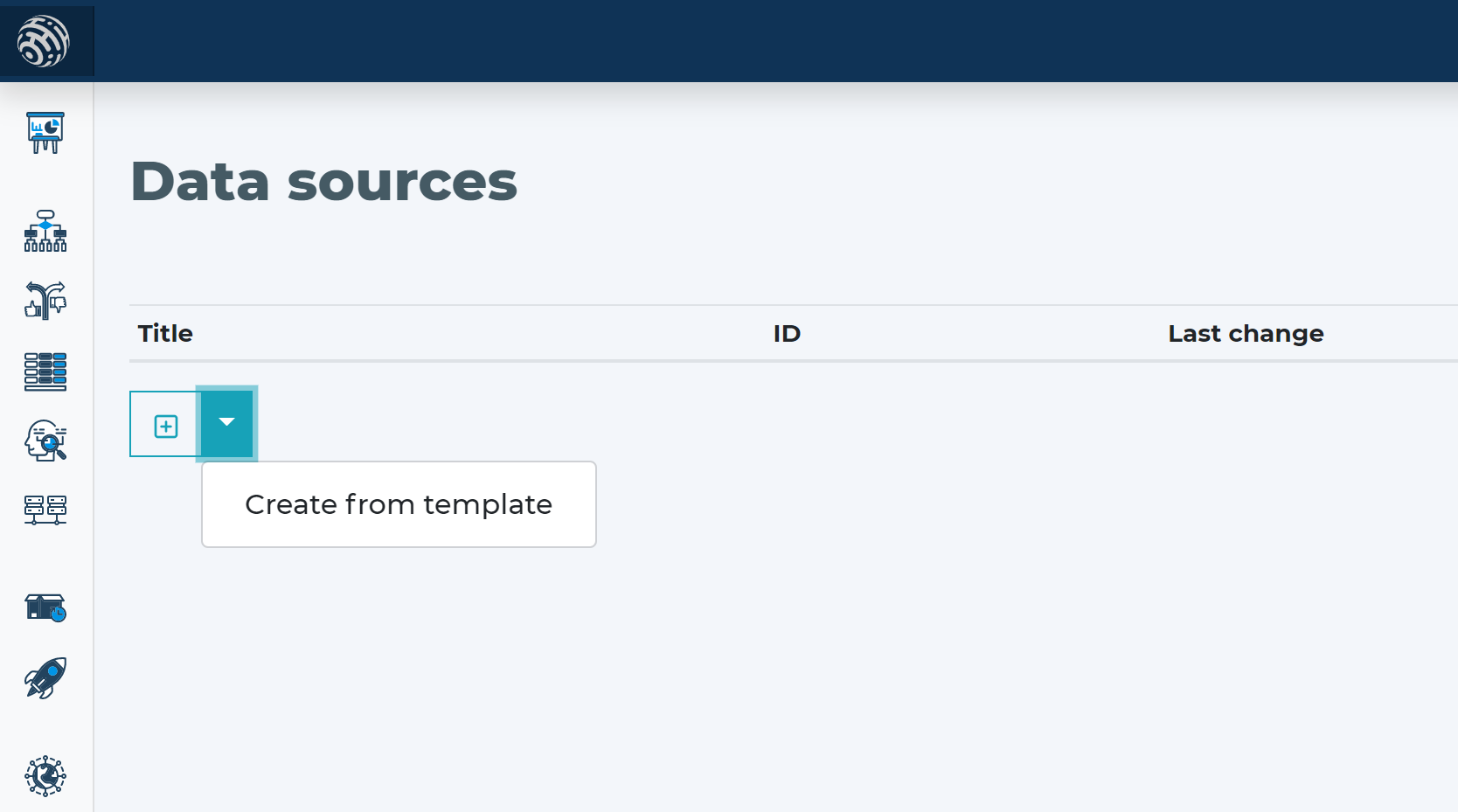
 Go to Data sources, click new, and create from template.
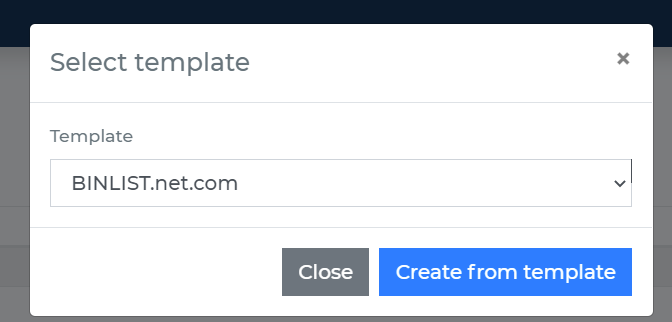
- Once the data source is created, you do not need to do anything else because this service does not require an API key for the free tier.
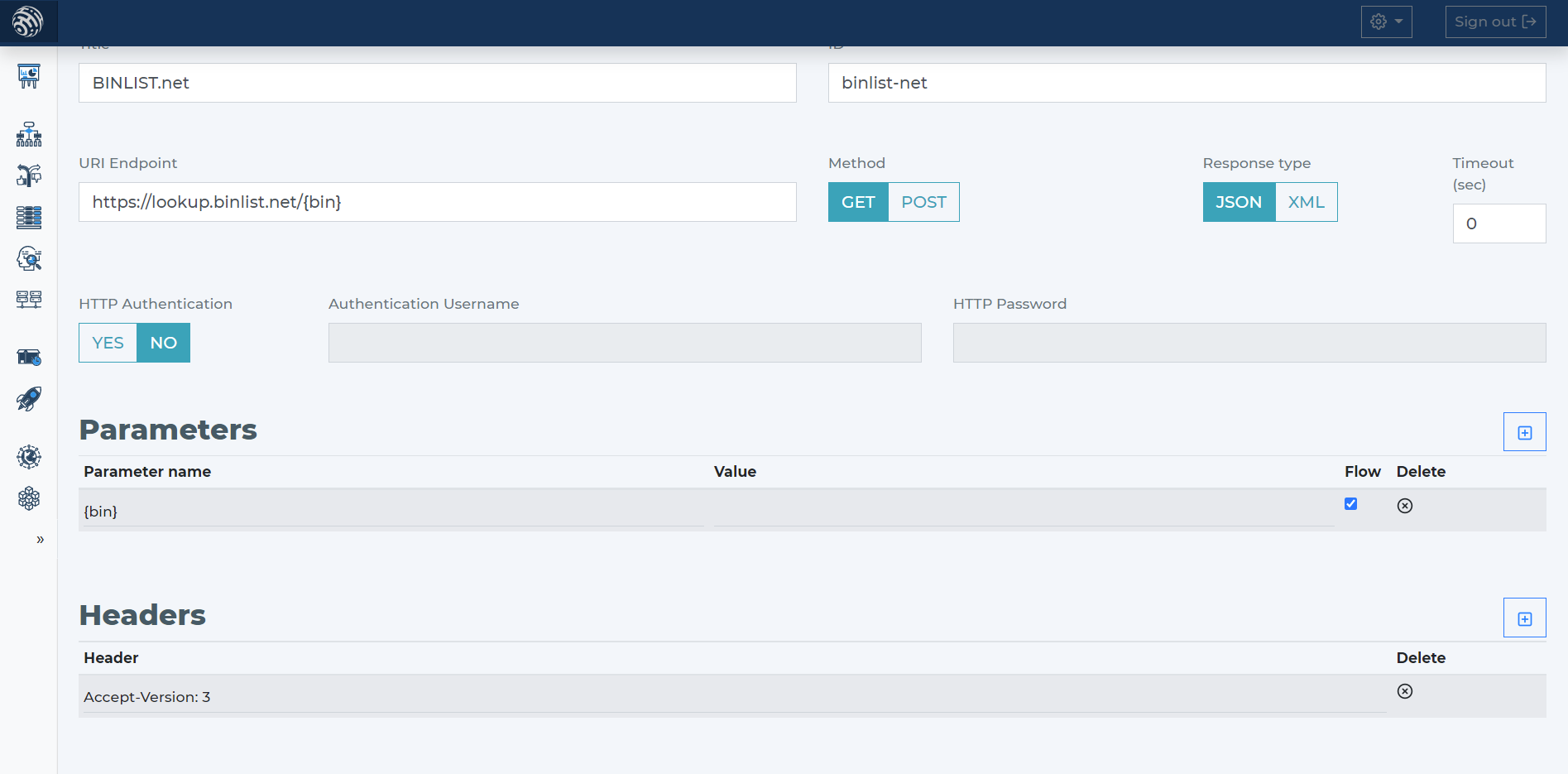
- The API requires only the BIN card number. The parameter is already included in the template and is ready to use in your decision flow.
Add BINLIST.net data source to your decision flow
- If you already have a decision step for data sources, add the call to BINLIST.net in the same step. The decision engine will call all sources in that step in parallel. Parallel calls give you the fastest execution time.
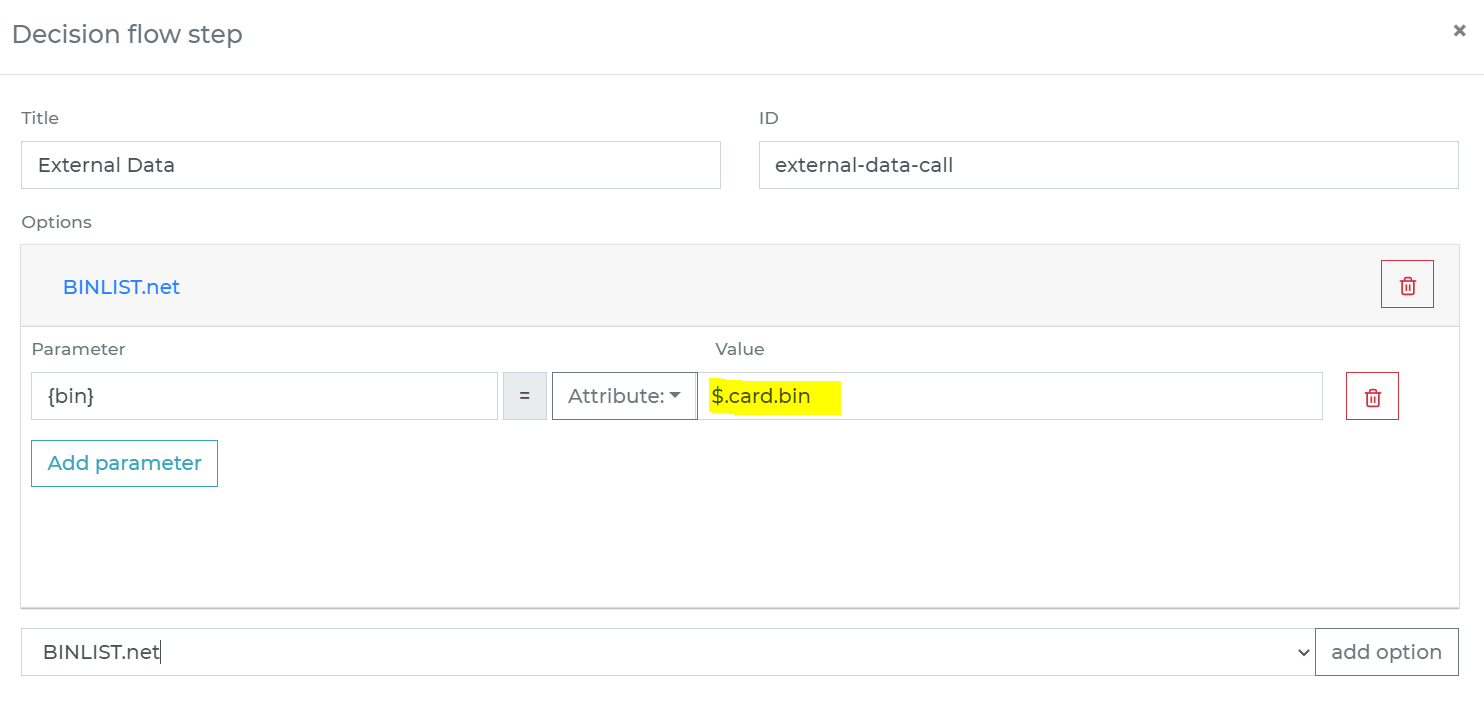
- If you do not have a decision flow step for external data, add one. Connect the step in your decision flow and double-click it to open the definition window.
- In the decision flow step, define the attribute from your data object that contains the BIN number to send to BINLIST.net. Make sure you send only the first 6/8 digits, not the full card number.
-
Run the decision making
- Release your decision flow, deploy it to an endpoint, and make decisions using data from BINLIST.net.