How to Import a Trained Model into a Decision Flow
Published on: 2026-04-06 11:13:58
Preparing Your Model
Before you import a trained model into Decisimo, save it as a file. In Python, that usually means serializing the fitted model with pickle. If your model is stored in a variable called model, you can dump it to a file like this:
import pickle

with open(r'model.pkl', 'wb') as f:
    pickle.dump(model, f)
That file is what you upload into the platform. Once saved, the model is ready for import into a decision flow.
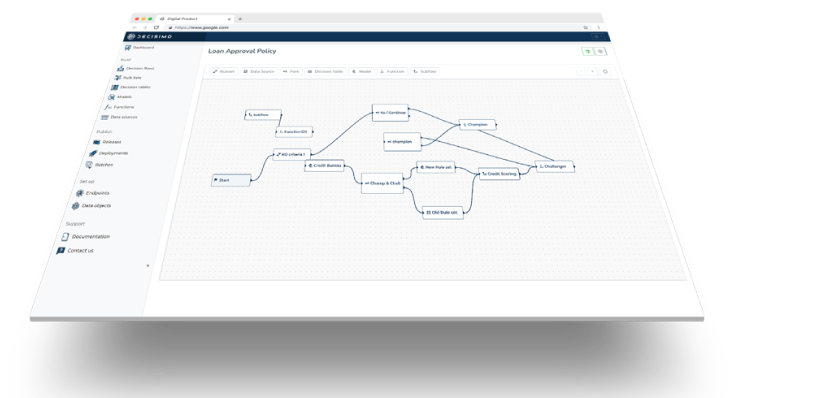
Decisimo uses your model as part of a larger decision logic. The platform does not treat the model as a standalone artifact. It calls the model and receives the output; the platform then passes that output into the next step in the flow.
What the Engine Expects
When the model runs, the engine uses code shaped like this:
prediction = model.predict_proba(data)
prediction = prediction.tolist()
return jsonify(prediction)
This matters because your model must support predict_proba if you want probability output. The engine passes data as an array of fields you define in advance. The order of those fields must match what the model expects.
If the order is wrong, the prediction can fail. If the data types are wrong, the prediction can fail. If the model cannot process the values, the flow stops. That is why preparation matters before deployment.
Importing the Model
After you create the pickle file, Decisimo gives you an import screen. On that screen, you define the runtime and the model inputs.
1. Select the Python Version
Start by choosing the Python version used to train or serialize the model. The runtime should match the environment your model expects. If the version is wrong, package dependencies can break, and the model may not load.
2. Define Required Libraries
Next, list the libraries the model needs. This may include scikit-learn, pandas, numpy, or other packages your model depends on. Decisimo prepares the execution environment based on that list.
3. Map Input Variables
Then define the input variables used for prediction. Specify them in the exact order the model expects. Also define the correct data type for each variable.
- Order matters. The model reads the input array position by position.
- Data types matter. Strings, integers, floats, and booleans must match the model schema.
- Field mapping matters. Each variable must point to the correct field in the data object.
During execution, Decisimo reads the selected fields from the data object, converts them to the defined data types, and passes them into your model for prediction.
Why Input Mapping Must Be Exact
Model import is not just a file upload. It is a contract between your model and your decision flow. The model expects inputs in a fixed structure. The platform builds that structure from the fields you map.
That means a mismatch in the input layer can break the whole flow. A numeric field passed as text may fail conversion. A missing field may stop execution. A reordered field may produce the wrong prediction even if the model technically runs.
This is why deterministic decision logic depends on strict input definitions. The model must receive the same structure every time. That gives you traceability, repeatability, and predictable output.
Saving and Preparing the Environment
Once you click Save model, the system starts preparing the execution environment. This can take a minute. Decisimo builds the runtime with the selected Python version, imports the required libraries, and loads the model artifact.
After the environment is ready, the model becomes available for use in the decision flow. You can then run test inputs and check whether the output matches expectations.
This test step is important. It lets you confirm that the input mapping is correct, the model loads properly, and the returned prediction fits the next decision step.
Testing the Model Before Deployment
Never skip testing. A model can work in a notebook and still fail in a decision engine if the runtime, imports, or field mapping differ.
Use test values that reflect real production data. Verify that:
- the model loads without error,
- the inputs are converted to the correct types,
- the prediction output is returned in the expected format, and
- the next step in the decision flow can use that output.
If the model returns probabilities, check that the values are usable downstream. If the flow expects a threshold, confirm that the model output can support that rule. If the decision flow depends on multiple outputs, make sure the response structure is stable.
Common Failure Points
Most import problems come from a small set of issues. You can avoid them by checking these points before you save the model.
- Version mismatch: The Python runtime does not match the model environment.
- Missing libraries: The required package is not listed during import.
- Wrong input order: The variables do not match the order used during training.
- Bad data types: The platform cannot convert the input values correctly.
- Unexpected output shape: The model returns data in a format the flow cannot use.
These are operational issues, not model science issues. The model may be good, but the integration can still fail if the interface is wrong.
How This Fits Into Decision Flows
Once imported, the model becomes one step in a larger decision flow. Decisimo can use the prediction in later rules, scorecards, or branching logic. That lets you combine model output with business rules and external data sources.
This is where the platform matters. A trained model on its own gives you a prediction. A decision flow gives you a controlled way to act on that prediction. You can route, approve, reject, flag, or continue based on the model output and the rest of your decision logic.
That structure is useful in lending, fraud, onboarding, and risk operations. It keeps model use explicit. It also keeps the decision auditable.
Practical Checklist
Use this checklist before you import a model into Decisimo:
- Save the fitted model as a pickle file.
- Confirm the Python version used for training or serialization.
- List every required library.
- Define input variables in the correct order.
- Assign the correct data type to each variable.
- Map each variable to the right field in the data object.
- Test the model with sample values.
- Check that the output can be used in the next decision step.
Final Takeaway
Importing a model into a decision flow is a controlled integration task. The model file is only one part of the process. The runtime, libraries, input mapping, and output format all need to line up.
When they do, Decisimo can run the model as part of deterministic decision logic. The result is a repeatable process where the prediction can be traced, tested, and used downstream with clear rules.