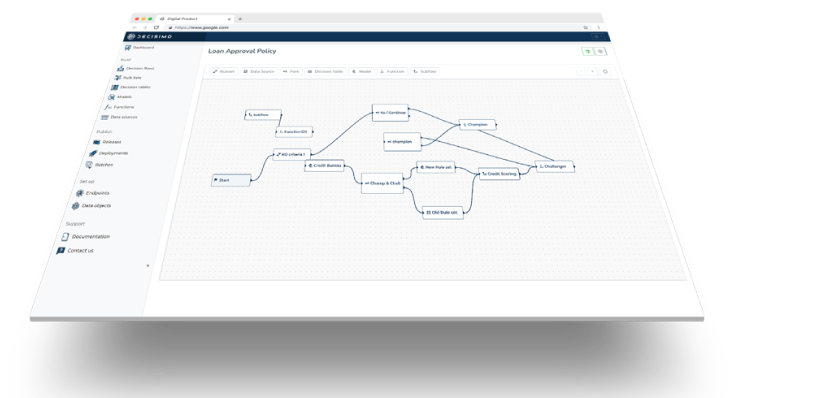
How to integrate FraudlabsPro into a decision engine
Published on: 2024-08-10 18:38:24
HaveIBeenPwned is a free service that allows internet users to check if their personal data has been compromised or "pwned" in a data breach. The service collects and analyzes hundreds of data breaches containing email addresses and other personal information, and allows users to search their own email addresses in the HaveIBeenPwned database to see if their private data has been leaked or obtained without their consent.
Users can also subscribe to HaveIBeenPwned to receive alerts whenever their personal data appears in a new data breach. Additionally, the service has a paid API service to query on the fly information about an email. This is useful in various antifraud use cases for real-time decision-making.
You can quickly integrate HaveIBeenPwned in Decisimo and use it together with other services for evaluation of your eCommerce transactions.
Create an account and get your API Key
 Sign up for an account on HaveIBeenPwned if you do not have one yet. Choose the account that fits you best, or just start with a free tier.
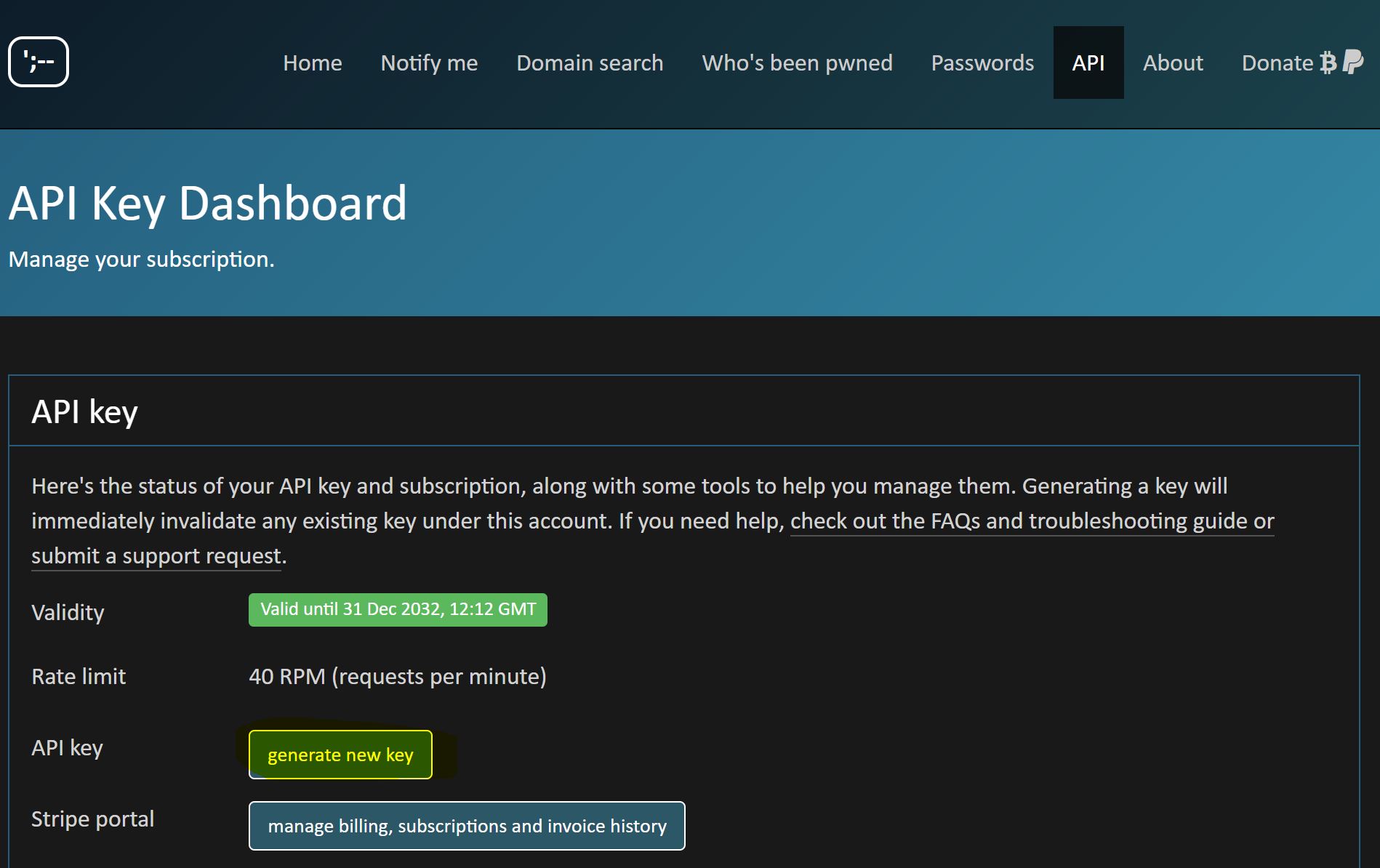
https://haveibeenpwned.com/API/Key- Once you log into your account, head to FraudLabsPro Dashboard, and in the License Overview box look for API Key. We will need the API Key for next step.
Create a data source in Decisimo Portal
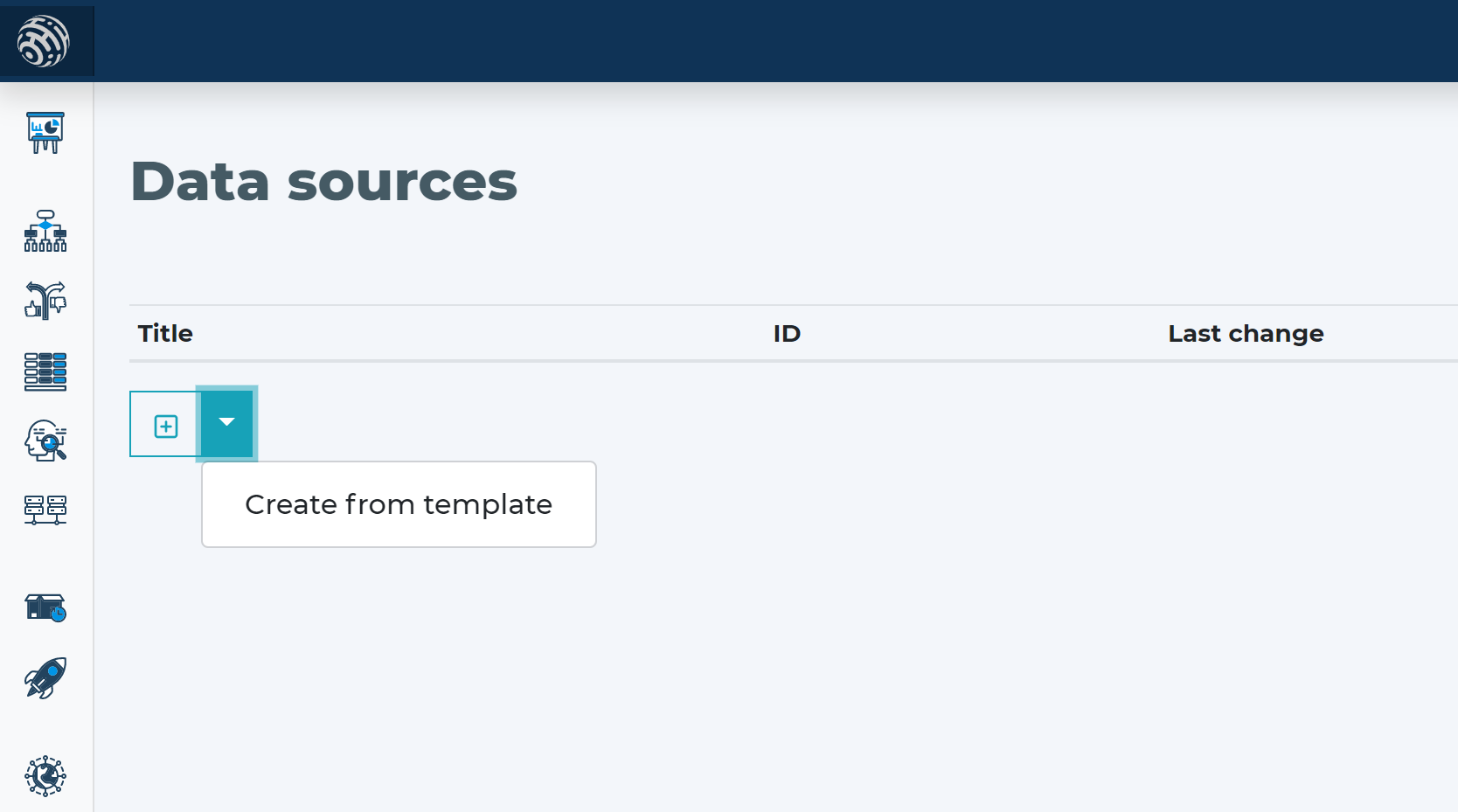
- Go into Data sources and hit new and create from template.
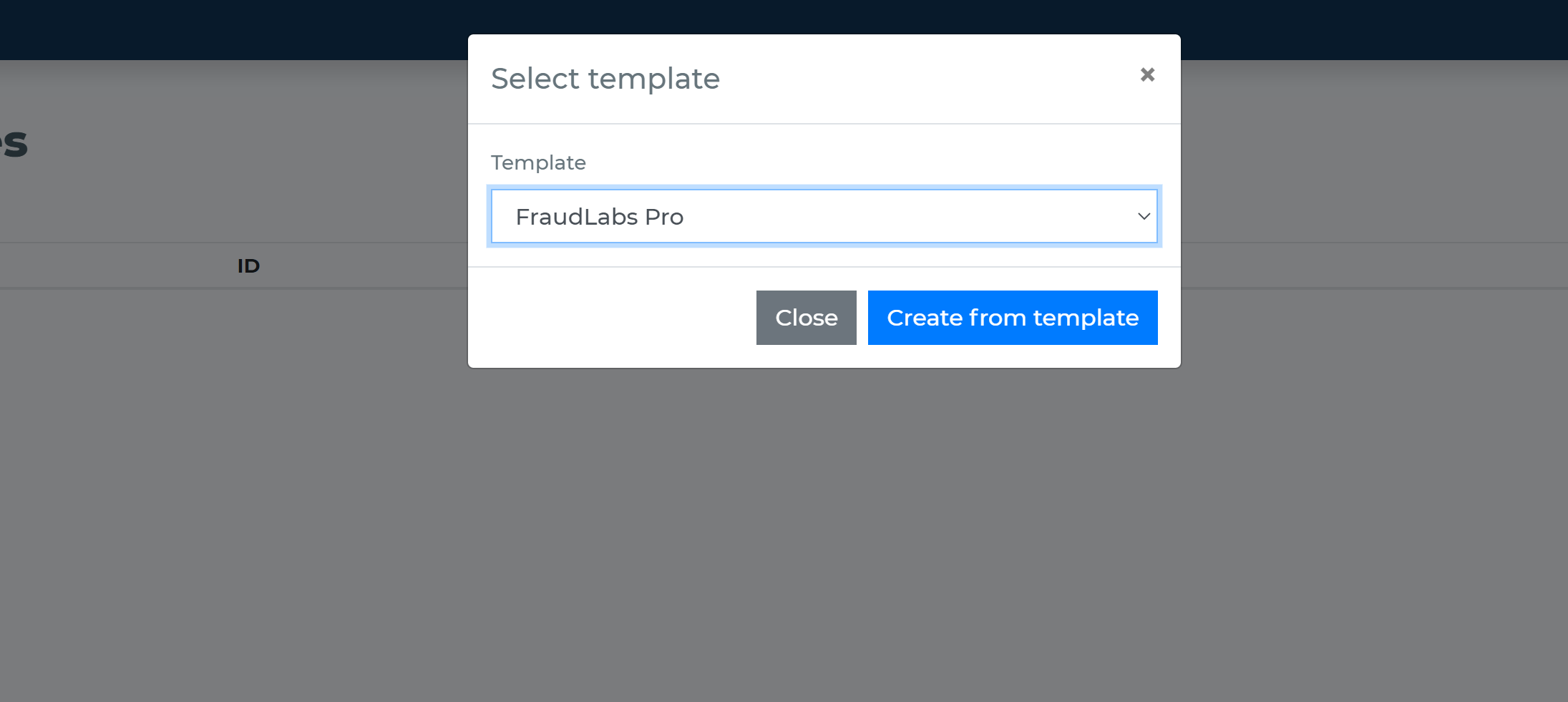
- In the External data definition page, change the API key to the key that you have obtained from FraudLabs.
- Review the data fields that you can provide and that you are unable to provide. There are two main types of data – technical and business. Technical fields need to be always included. Some business attributes are required, and some are optional.
-
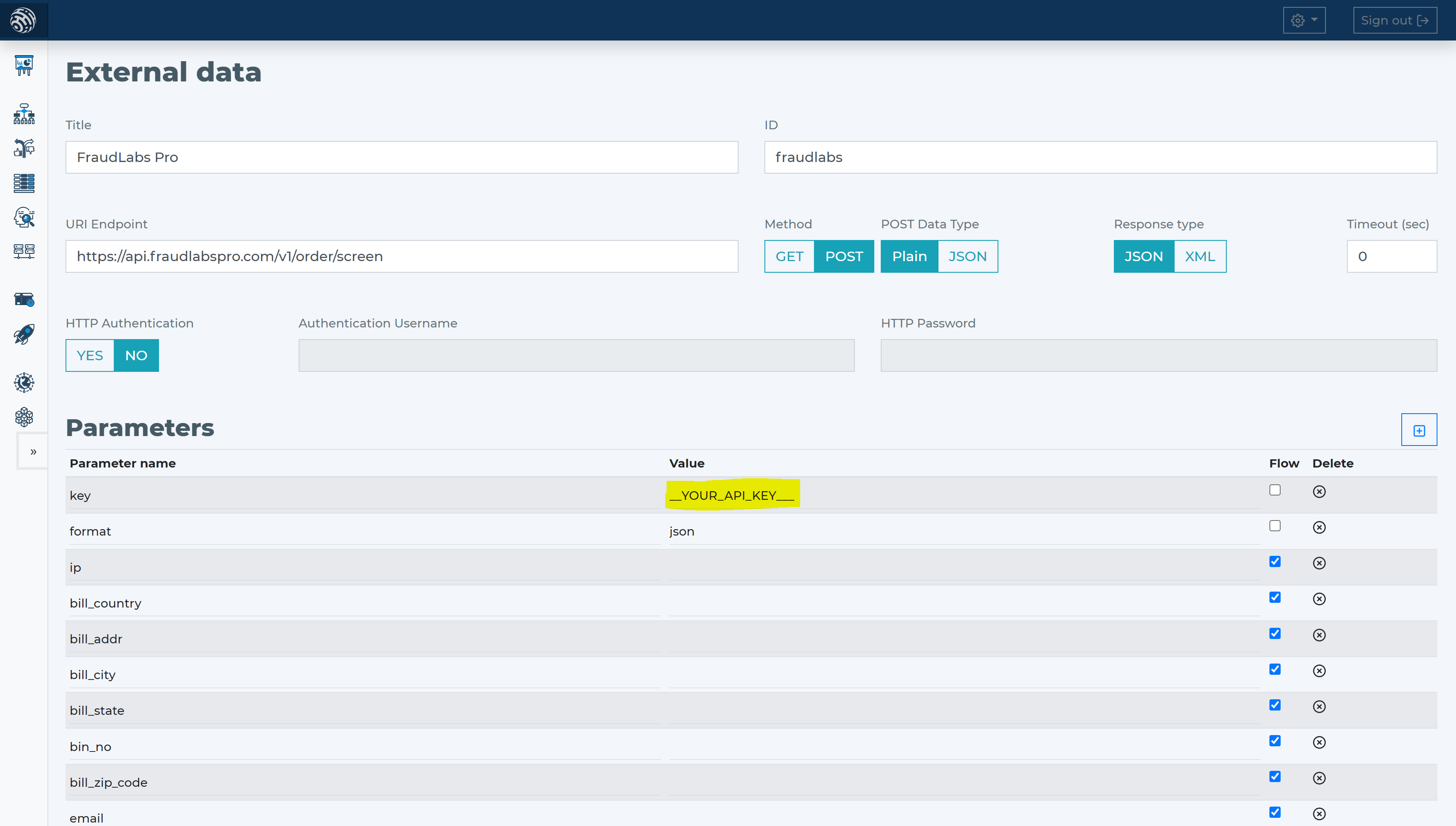
- HaveIBeenPwned has two technical fields – key and format. Place the API Key you have from HaveIBeenPwned in the value of the parameter key. Leave the format to the default value of the template, which is JSON.
- HaveIBeenPwned requires only the IP address of the customer making the transaction. All other attributes are optional. For getting the most from HaveIBeenPwned, try to provide the most attributes possible.
- The least information for good antifraud evaluation is apart from price and currency, also billing address, email address, email, and card-related information. Within HaveIBeenPwned that means attributes:
- bill_addr
- bill_city
- bill_state
- bill_country
- bill_zip_code
- bin_no
- amount
- currency
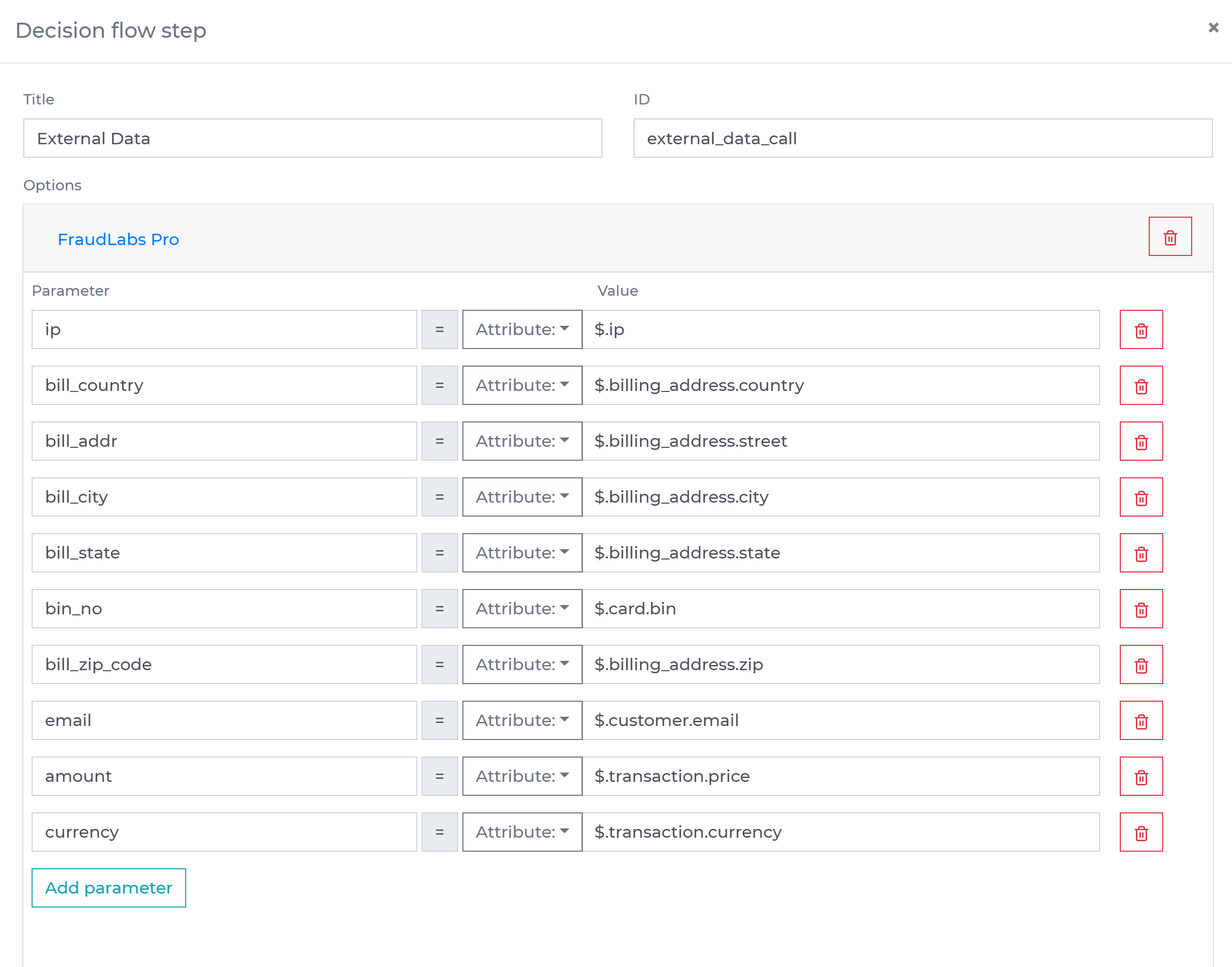
- When you use the HaveIBeenPwned data source template, it will include these parameters.
Add HaveIBeenPwned data source to your decision flow
- If you already have a decision step for data sources, you can add the call to HaveIBeenPwned within the same step. The decision engine will call all the sources in the same step in parallel. Parallel calls ensure the fastest execution time.
- If you do not have a decision flow step for external data, add one. Connect your decision flow step and by double-clicking, open the definition window. Define in the step the attributes from your data object to be sent to HaveIBeenPwned verification.
-
Run the decision making
- Release your decision flow, deploy to an endpoint and make decisions using data from HaveIBeenPwned.