How to test a decision table properly
Published on: 2024-08-10 18:36:09
There is no single accepted method for testing decision tables, but a few general steps usually apply:
- Identify the purpose of the decision table.
- Draft test cases from the different conditions and actions in the table.
- Run the test cases and verify the expected results.
- Modify the decision table where needed based on the test results.
- Repeat steps 2-4 until the decision table works as intended.
Choosing the way to test
When choosing an approach to testing a decision table, start with its purpose. That gives you a basis for drafting test cases from the different conditions and actions in the table. Once you run the test cases, verify the results to confirm that the decision table is working properly.
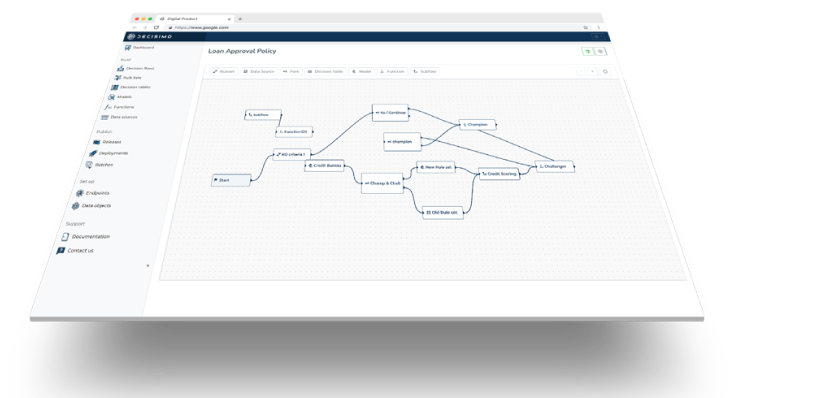
Some decision tables do not need to return a result for every value, and the business is fine with that. Most, however, are used in a decision flow with the goal of always returning a result.
Action-result not always required
A decision table that does not always need to return a result is easier to test. In that case, prepare valid value ranges for each column and define the expected result. Then prepare a synthetic data sample with all possible combinations and run it through the table.
Action-result required always
If the decision table must always return a result, use a different approach. First, determine all possible conditions and actions that can occur in the table. Then, for each condition and action, prepare test data that exercises that specific condition or action.
The goal is to cover all possible combinations of conditions and actions. Those combinations should also include unexpected extreme values. You can test manually or with a tool. After the test data is prepared, feed it into the decision table. Then verify whether the results match the expected output.
Gaps in decision results
If there are gaps in the decision results, meaning values for which no actions were provided, investigate those cases. If the condition values are not important, you can add a catch-all row. A catch-all row in a decision table is a row that uses a wildcard character for all conditions. That wildcard means the row is triggered regardless of the condition values.
Catch-all rows
Catch-all rows are often used for errors, but they can also be used for default values. For a catch-all row, position in the table matters because it may take precedence and override earlier results.
Decision tables can have multiple actions for a single condition. In those cases, the order in which the actions run matters. The order can be defined in the decision table, or it can be left to the discretion of the decision maker. If the order matters, define it in the decision table. Otherwise, leave it to the decision maker.
If the order matters, test it. You can test the action order by changing the order in which the test data is fed into the decision table. Then verify the results to confirm that the decision table is working properly.
Next steps in the testing
If the decision table is part of a decision flow, then every step in that flow needs to be tested. That includes all decision tables, decision points, and final actions.