Integración de fuentes de datos externas en Decisimo
Publicado el: 2026-04-12 19:41:48
Mejora tu lógica de decisión en Decisimo integrando datos de terceros en tiempo real o tus propios microservices. Con varias opciones de integración, añadir datos a tus evaluaciones es sencillo.
Métodos de integración
1. REST API
Características:
- Acceso a datos en tiempo real: llama a servicios de datos de terceros mediante REST para obtener datos JSON o XML en tiempo real.
- Compatibilidad con microservices: integra tus microservices propietarios. Protege el flujo de datos con VPNs o endpoints permitidos.
- Igual de fácil que usar Postman: definir un endpoint en Decisimo es tan sencillo como configurarlo en Postman.
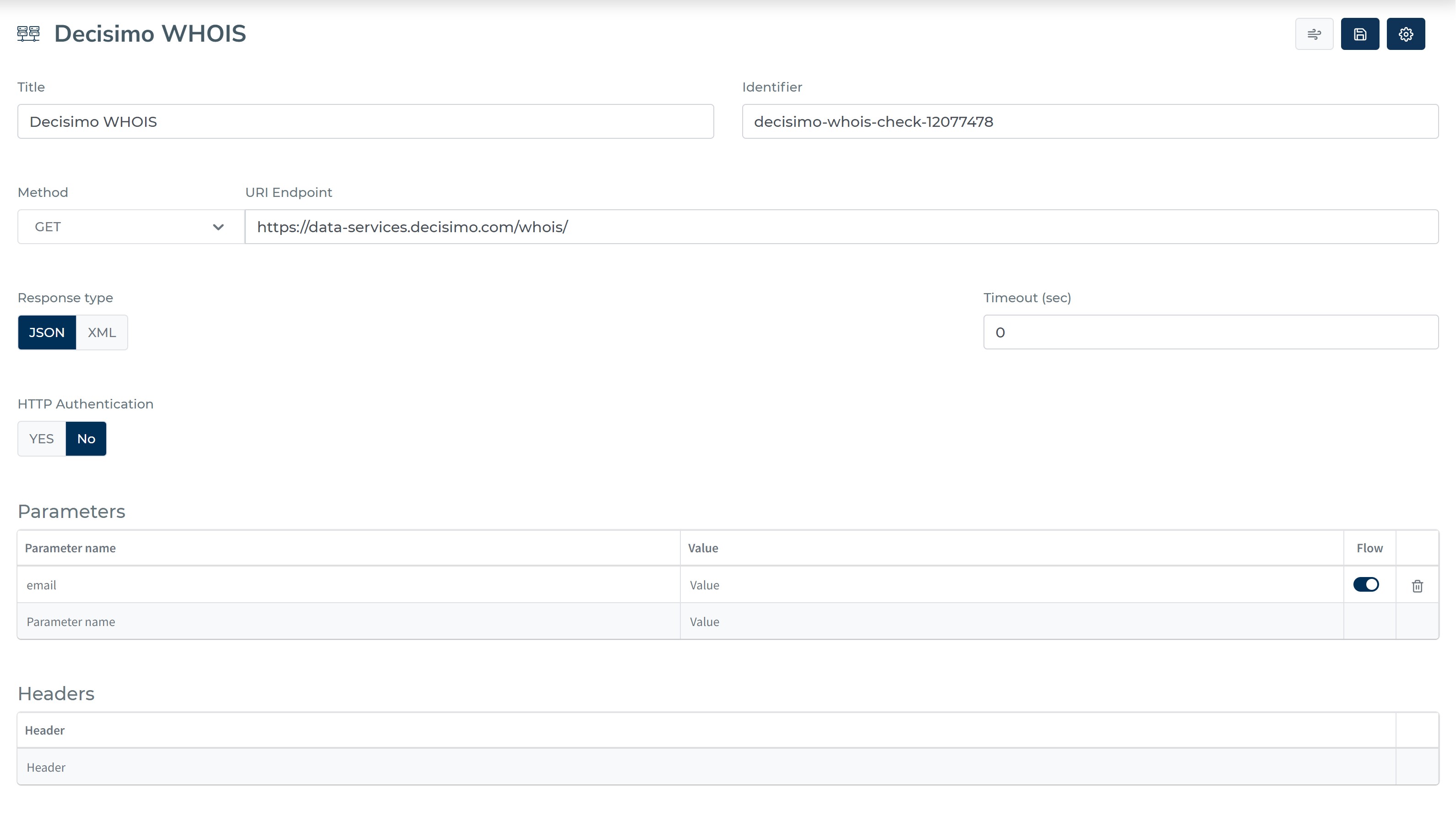
Cómo integrar:
- Configuración del endpoint: añade el endpoint REST de terceros dentro de Decisimo.
- Configuración de seguridad: configura los ajustes de VPN y listas blancas para tus endpoints, si es necesario.
- Prueba: usa las funciones de prueba integradas de Decisimo para verificar la integración.
Uso de los datos: Decisimo añade la salida completa de tus llamadas REST directamente a tu objeto de datos. No se requiere mapeo de datos.
2. Desde plantillas
Características:
- Configuración rápida: elige entre plantillas predefinidas para servicios comunes como Ekata, Google Places API, SEON y Fraudlabs.
- BYOAPI: añade tus propias API keys para cada servicio de terceros integrado.
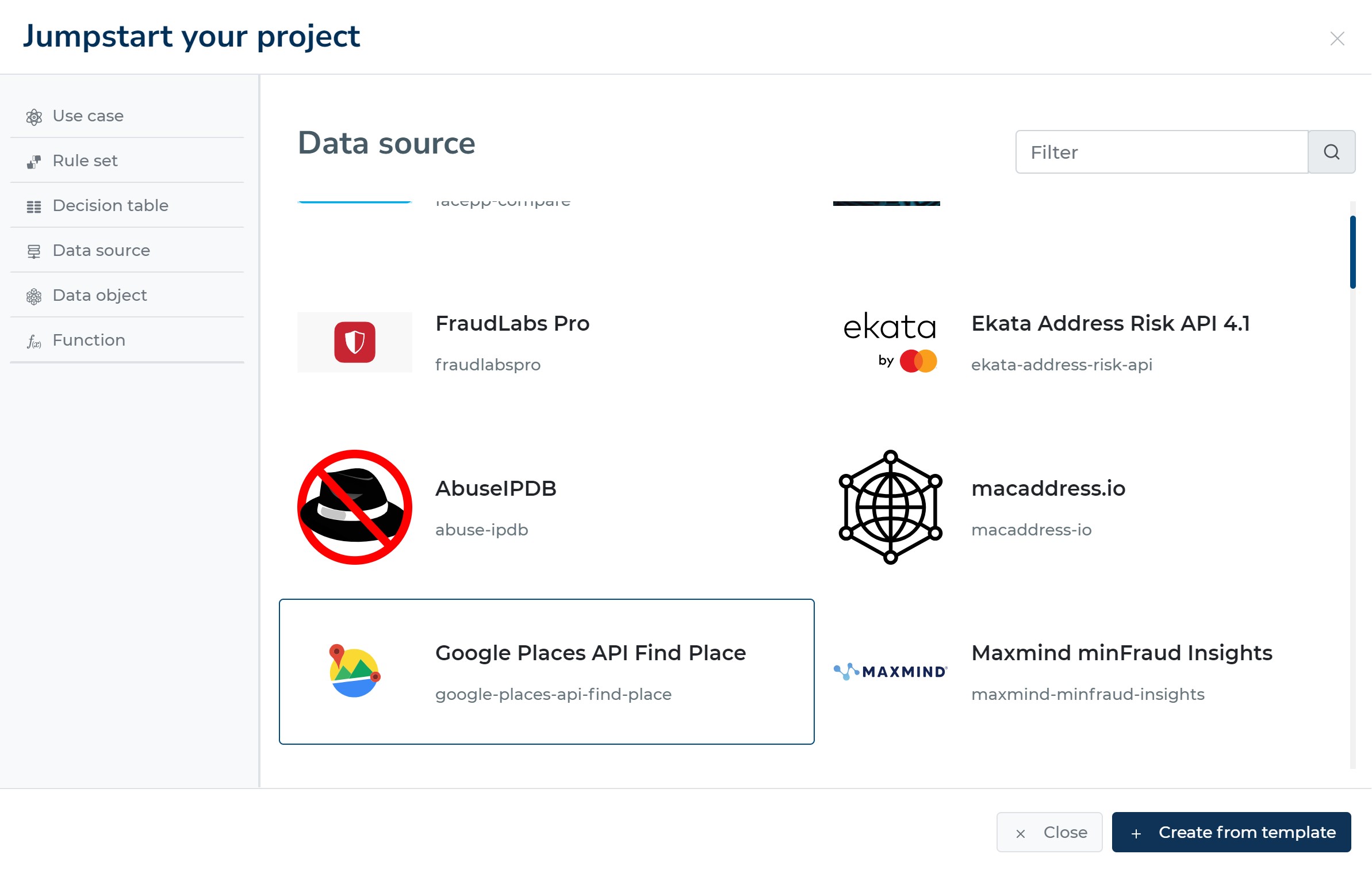
Cómo integrar:
- Selección de plantilla: elige una plantilla de nuestra biblioteca que coincida con el servicio de terceros que quieres integrar.
- Introducción de la API key: proporciona tu API key para el servicio elegido.
Uso de los datos: Al igual que en las integraciones de REST API, todos los datos obtenidos se añaden automáticamente a tu objeto de datos.
3. Data Marketplace (próximamente)
Características:
- Paga según el uso: recarga tu cartera de Decisimo y paga solo por los servicios de datos que utilices.
- Sin contratos: nosotros gestionamos la relación con los proveedores para que tú puedas centrarte en usar los datos.
Cómo integrar:
- Recarga de cartera: una vez lanzado, añade fondos a tu cartera de Decisimo.
- Selección de servicio: explora los servicios disponibles y selecciona los que necesites.
- Integración automática: tras la selección, el servicio se incorporará a tu motor de decisión.
Uso de los datos: Al igual que con otros métodos, todos los datos obtenidos del marketplace se añadirán directamente a tu objeto de datos.
Empieza ahora
¿Quieres mejorar tu motor de decisión con datos en tiempo real? Ponte en contacto con nuestro equipo de soporte para recibir orientación sobre la integración.